Site Pro on mobile
Open the same Site Pro URL in your phone's browser and it switches to a mobile layout automatically. It's a focused field companion, not the full app — built for checking and closing items while you're walking the site.
Getting around
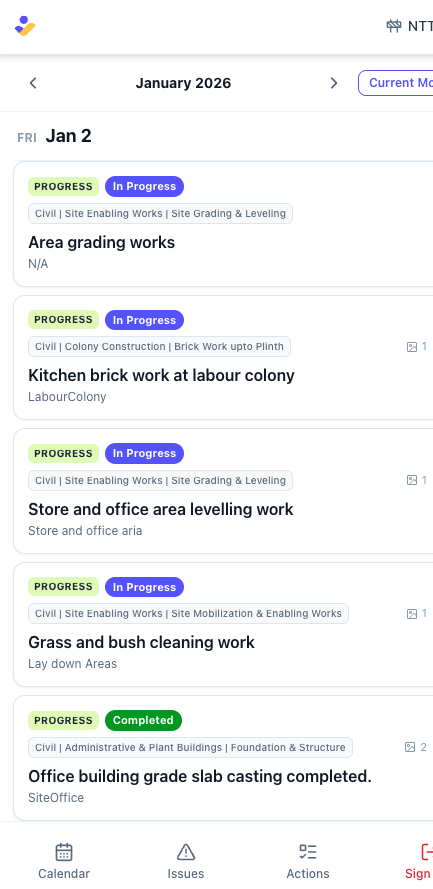
- Top bar — the Velora logo and the project switcher. Tap the project name to change sites; you stay on the same tab.
- Bottom navigation — Calendar, Issues, Actions, and Sign Out.
What's on mobile
Calendar
A date-grouped list of everything happening on the project. Tap the month to jump to another one. Tap any event for a detail sheet — status, work front, the relevant date, photos, and the WhatsApp messages it came from.
Issues
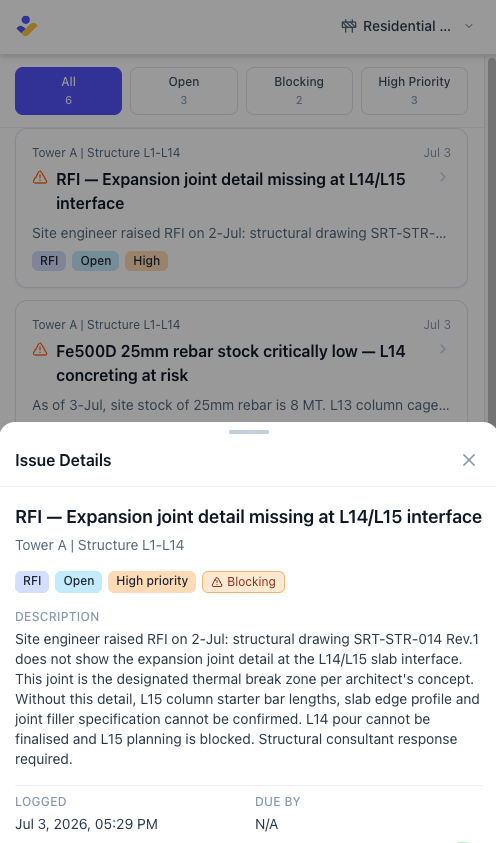
Every issue, with quick filter chips: All, Open, Blocking, High Priority. Tap an issue for its details — type, priority, status, need-by date, work front, photos, and source messages.
Action Items
Your tasks, with filter chips: All, Open, Completed, High Priority. Overdue items are flagged. Tap one for assignee, deadline, priority, status, and source messages.
What's desktop-only for now
The Dashboard, Portfolio, the rest of Execution (Work Fronts, Progress, Manpower, Inspections, Quality Tests, Deliveries, Scope Changes, Needs Review), Reports, and all Setup and Manage screens are desktop-only. Opening one of those links on a phone shows a short "not available on mobile yet" message rather than a broken screen.